Find a website and read its profile
On this page
The Websites tab finds websites rather than articles. Describe the kind of site you want and each result is one site: its name, address, category, a short description and its tags. A website profile then shows what any source publishes, with numbers, the topics it covers and a box to search inside it.
#Find a website
- Type what the site is about, for example
electric trucks, and select the Websites tab. - Read the site cards. Each one describes a whole site.
- Select Profile & articles to open the site's profile, or Visit to open the site itself in a new tab.
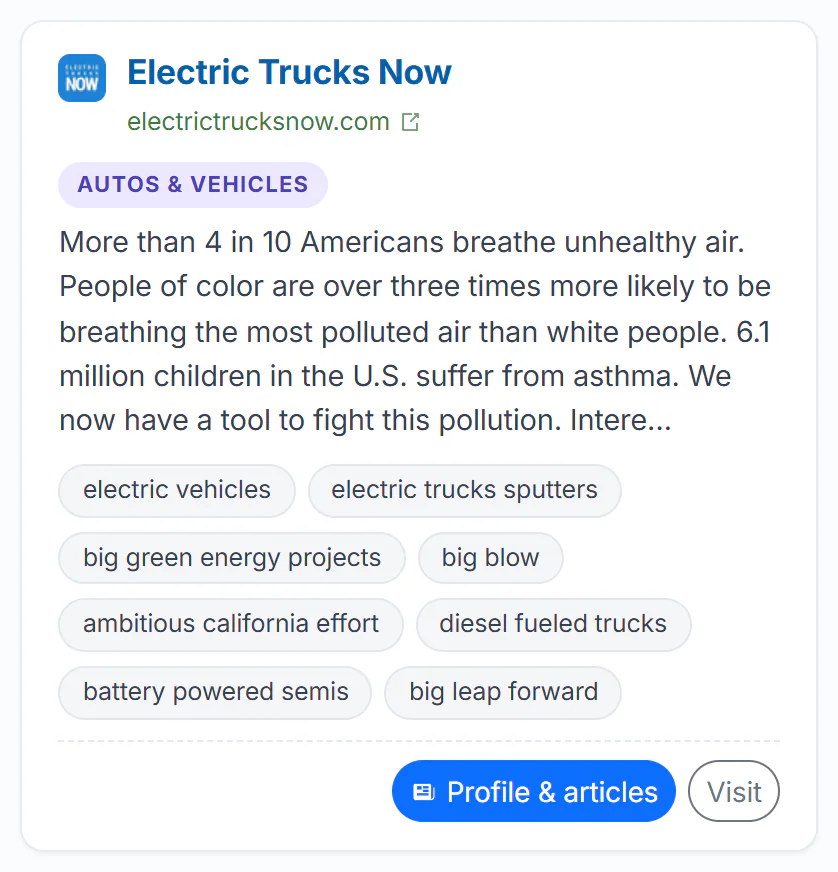
A Websites result: the site, its category, what it is about, its tags, and the two buttons.
- 1The site and its address
- 2Its category
- 3What the site is about
- 4Tags: each searches the site
- 5Profile & articles
- 6Visit the site itself
- Select the site's name to open its profile, the same as Profile & articles.
- Each tag opens the profile with a search for that tag inside the site.
- The footer can show how many pages of the site 4Search has indexed, how often it is mentioned and where it is based.
The Websites tab has a shorter filter row: a date menu that starts on 30 days, Published or Discovered, and the match menu. The Web column sits beside the list. If nothing matches, the tab suggests describing the site's subject or the kind of content it publishes.
#Open a website profile
A profile appears above the articles whenever a search is narrowed to one website. You get there by:
- selecting a source's name on any result card;
- choosing Search this website in a card's three-dot menu;
- selecting Profile & articles or a site's name on the Websites tab.
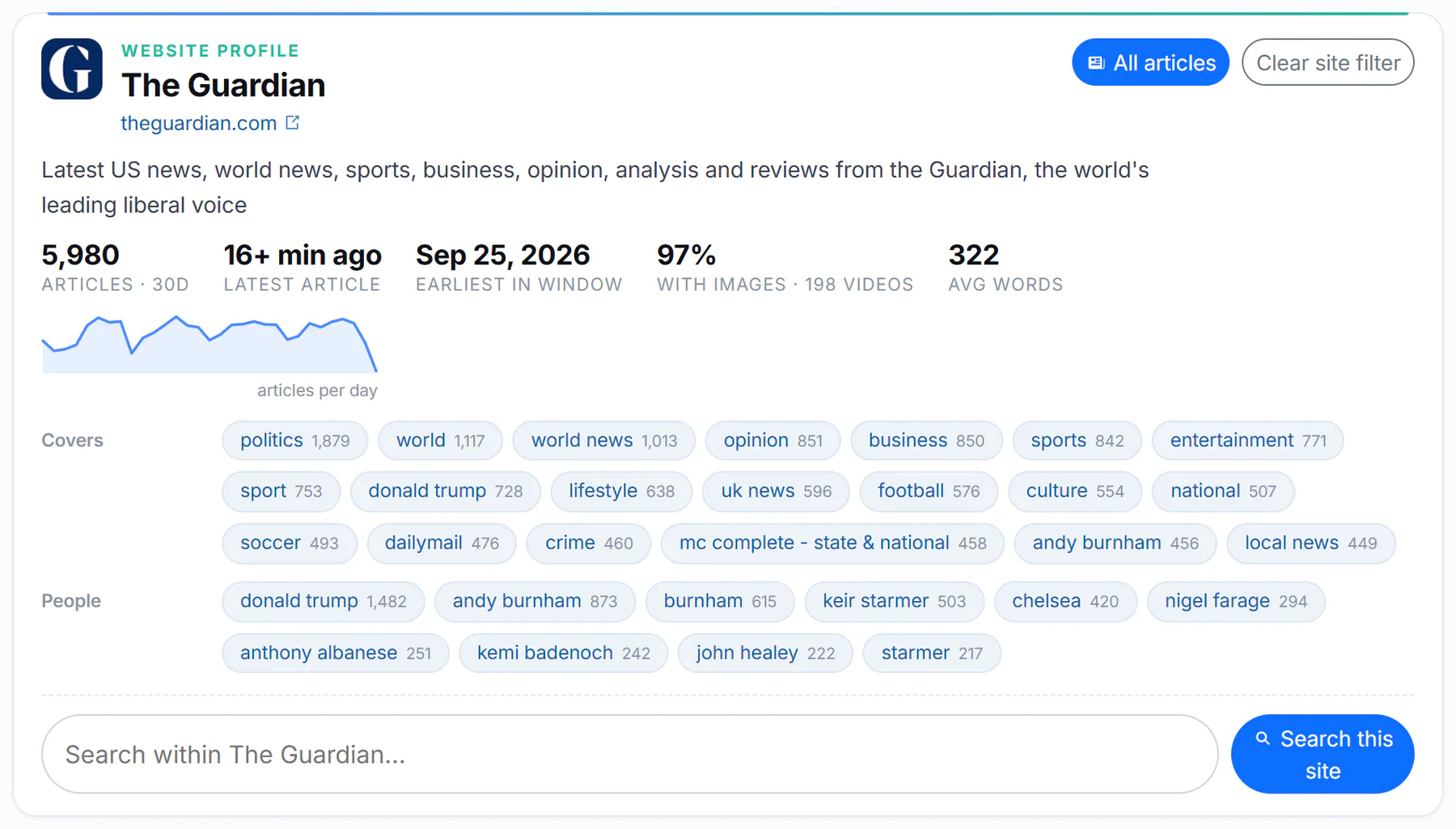
A website profile, shortened: the site, the two buttons, the numbers for the period, the topics it covers and the search box.
- 1Site name and address
- 2All articles, or clear the site filter
- 3Numbers for the period
- 4Topics it covers: each is a search
- 5Search within the site
| Part | What it shows |
|---|---|
| Name and address | The site, with a link that opens it in a new tab |
| All articles | The site's articles on the News tab, from the first page. If you had search words, they are kept |
| Clear site filter | Your search again, on every site |
| The numbers | Articles in the period (such as articles · 30d), the latest article, the earliest in the period, the share with images, the average length and the pages indexed |
| articles per day | A small chart of how much the site published each day |
| Covers, People, Places, Organizations | What the site writes about most, with counts. Each is a search inside the site |
| Categories, Site tags, Bylines, Elsewhere | Its subjects, its own tags, its most frequent authors and its social accounts, when known |
| Search within… | A box and a Search this site button for searching only this site |
The numbers follow the date window. Change the date menu to see a longer or shorter period.
#Common questions
Why is a website I know missing from the Websites tab?
The directory does not list every site, and it matches descriptions better than exact names. Try describing the site's subject, or search for its address with site: in the Web column. See Google-style operators.
What does "pages indexed" mean?
How many pages of the site 4Search has in its index. It is not the size of the whole site.
How do I leave the profile?
Select Clear site filter to run your search on every site again.
Is the profile a rating of the site?
No. It describes what the site publishes. It does not judge accuracy or quality.